
1 USB-2-RTMI Introduction
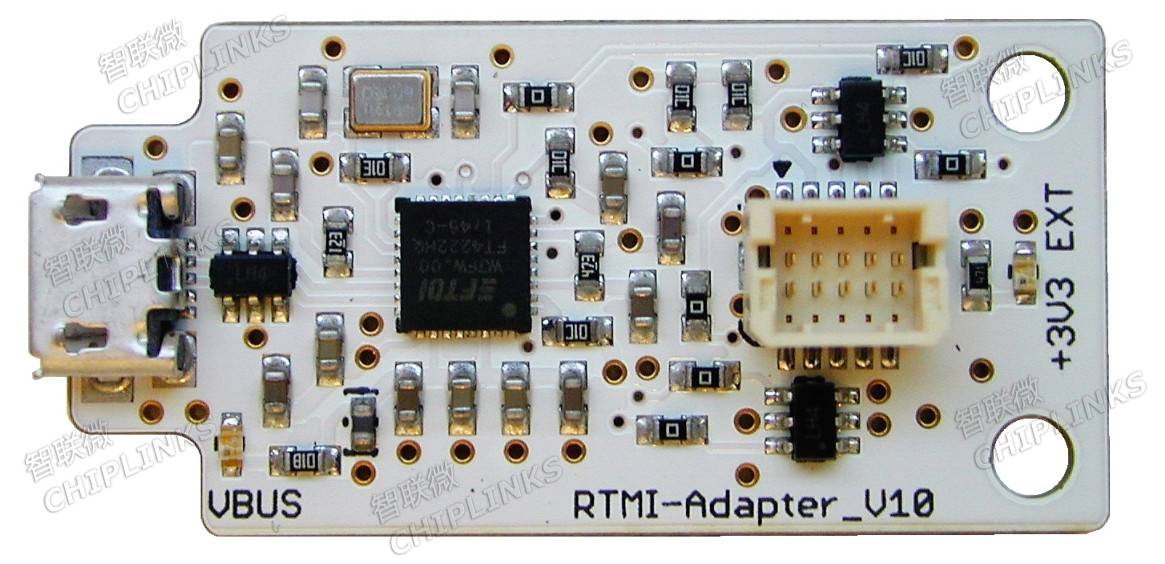
The USB-2-RTMI provides USB interface conversion specifically for the real-time monitoring interface of the TMC4671 FOC control IC. This interface converter is based on the FTDFT4222H high-speed USB-to-SPI chip. It is powered from USB and provides basic ESD protection, but does not include galvanic isolation (USB ground is connected to the GND pin of the RTMI connector). It has a compact 10-pin header with the same pinout as the RTMI interface on the TMC4671-EVAL, and the same pin assignment can be found on the TMC4671 evaluation board. RTMI is the easiest way to debug, monitor, and configure the TMC4671 PI. This interface converter comes with a connection cable.
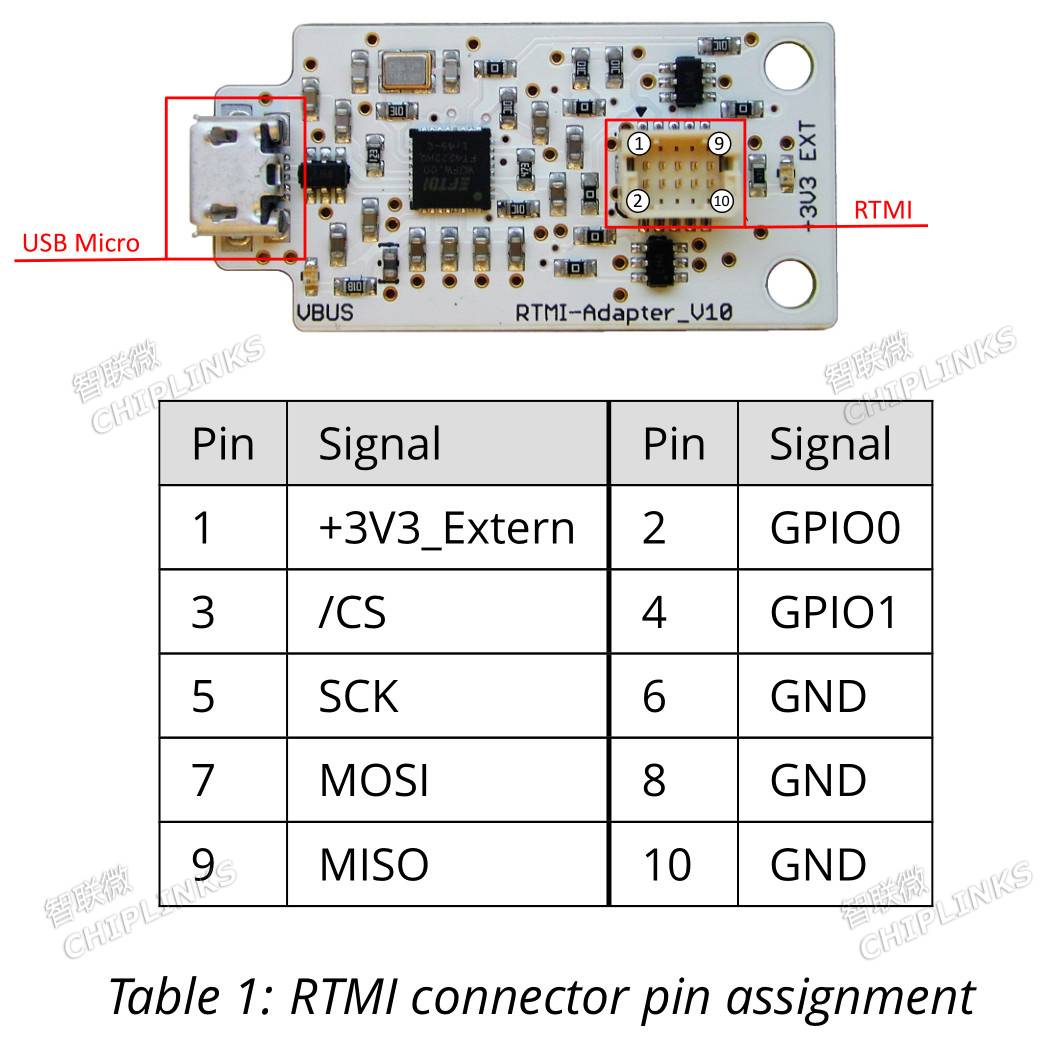
2 Pinout
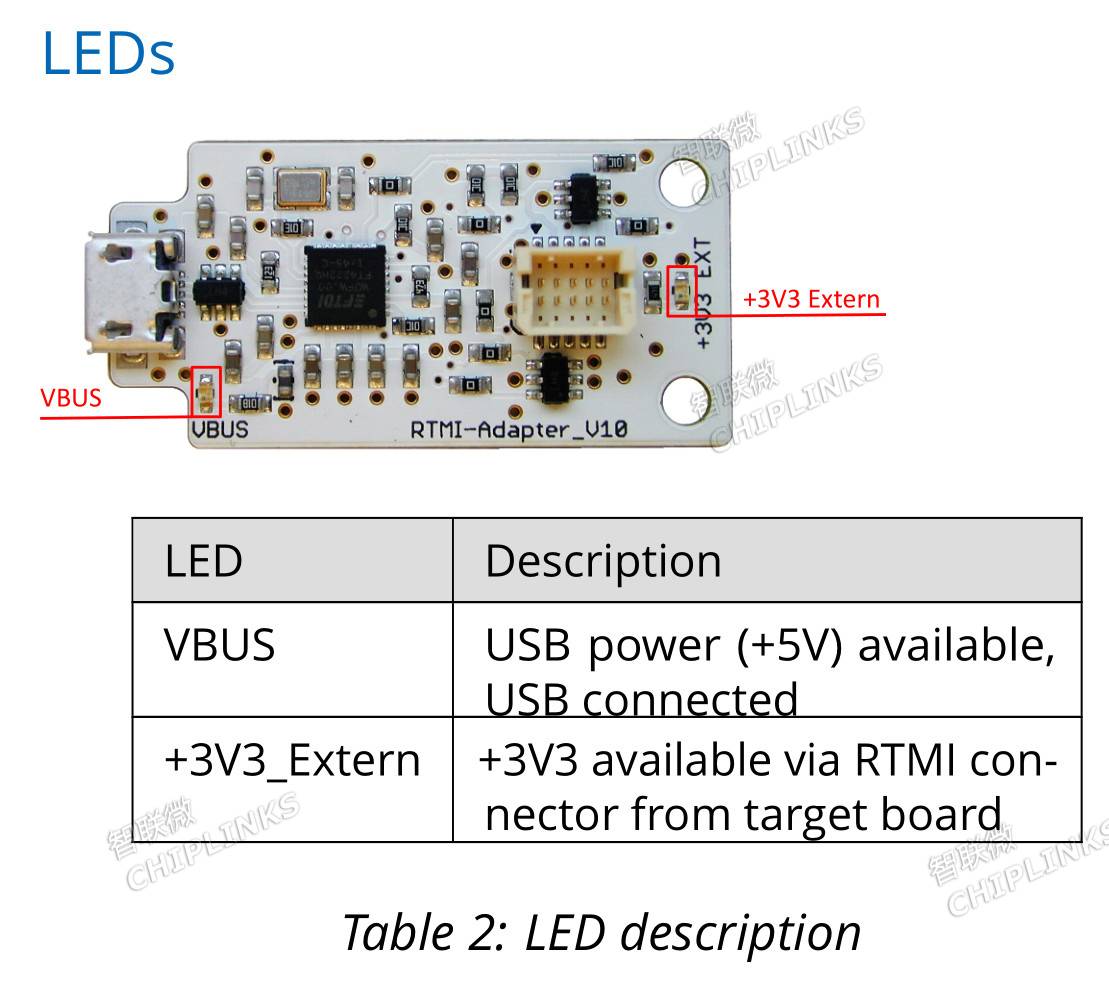
3 LED Indicators
4 Driver Installation
1. From the FT4222 homepage
http://www.ftdichip.com/Products/ICs/FT4222H.html
Download the D2XX driver. Driver download link:
http://www.ftdichip.com/Support/SoftwareExamples/LibFT4222-v1.4.1.zip
2. Download LibFT4222 Windows Library, download link:
http://www.ftdichip.com/Support/SoftwareExamples/LibFT4222-v1.4.1.zip
3. Connect the USB-2-RTMI to your PC.
4. Open Device Manager -> USB controllers -> FT4222H Interface A. Update the driver using the new driver from the ZIP file.
5. Copy LibFT4222.dll to the folder C:/WINDOWS/SysWOW64