
1. Connect the TMC2225 evaluation board2. Launch the TMCL-IDE software3. Set microstepping4. Quiet mode5. Set the low-speed/high-speed switching threshold6. Complete the setup
Most users familiar with Trinamic chips know the TMC2208, which is the most widely used of these chips at present. The TMC2225 has the same performance as the TMC2208 but comes in an HTSSOP package (making it easy to replace the TI DRV8825 pin-for-pin). The TMC2225 offers better cost performance. With such an affordable and high-quality chip, let's take a look below at how it operates in both silent and high-speed modes with automatic switching.
1. Connect the TMC2225 evaluation board
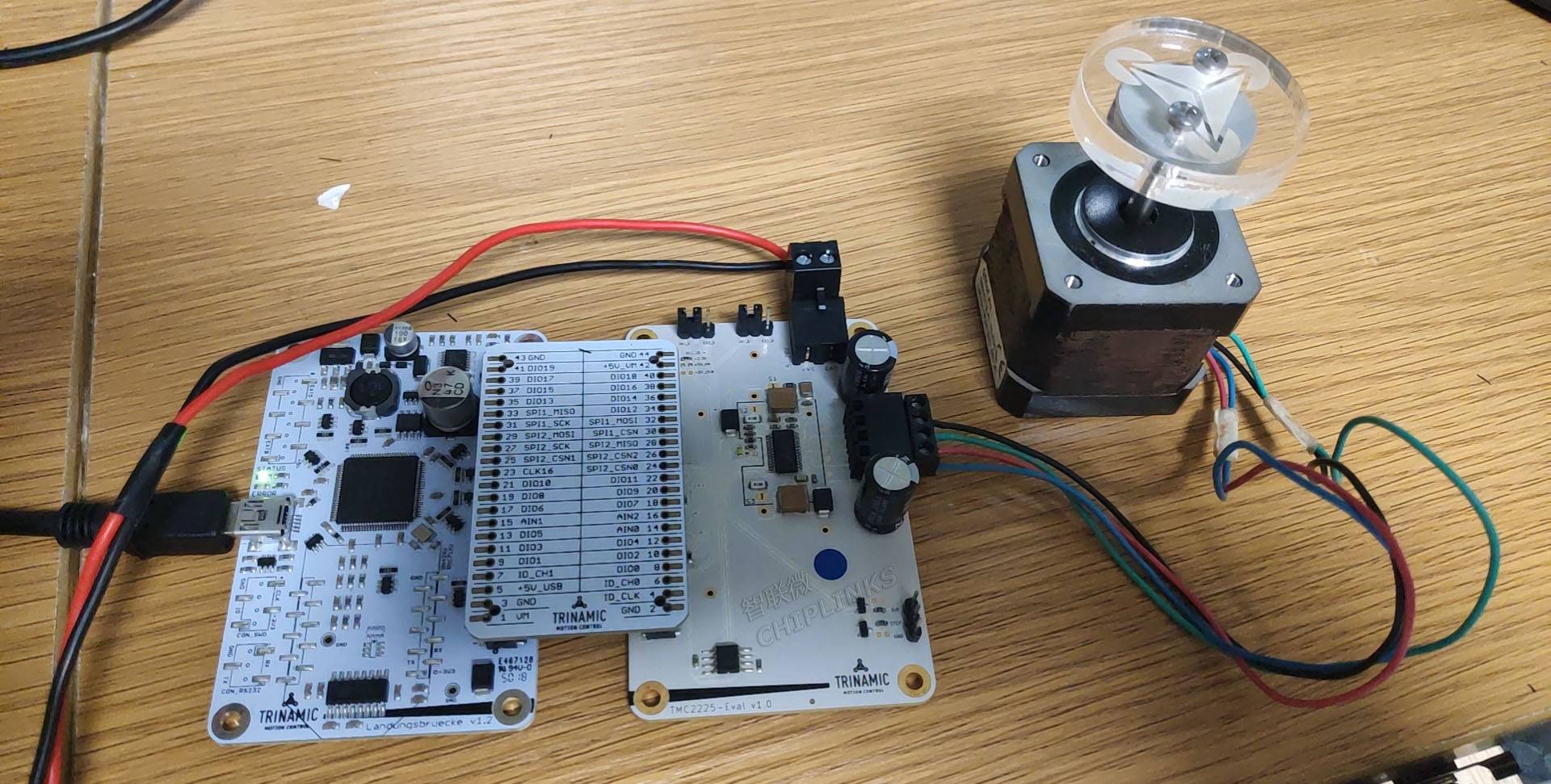
- Prepare a TMC2225-eval-kit evaluation board
- Powered by 4.75…36 V; here it is connected to a 12 V power supply
- Connect the motor (found a cheap rusty motor with a 1.8° step angle)
- Connect the USB cable to the computer
2. Launch the TMCL-IDE software
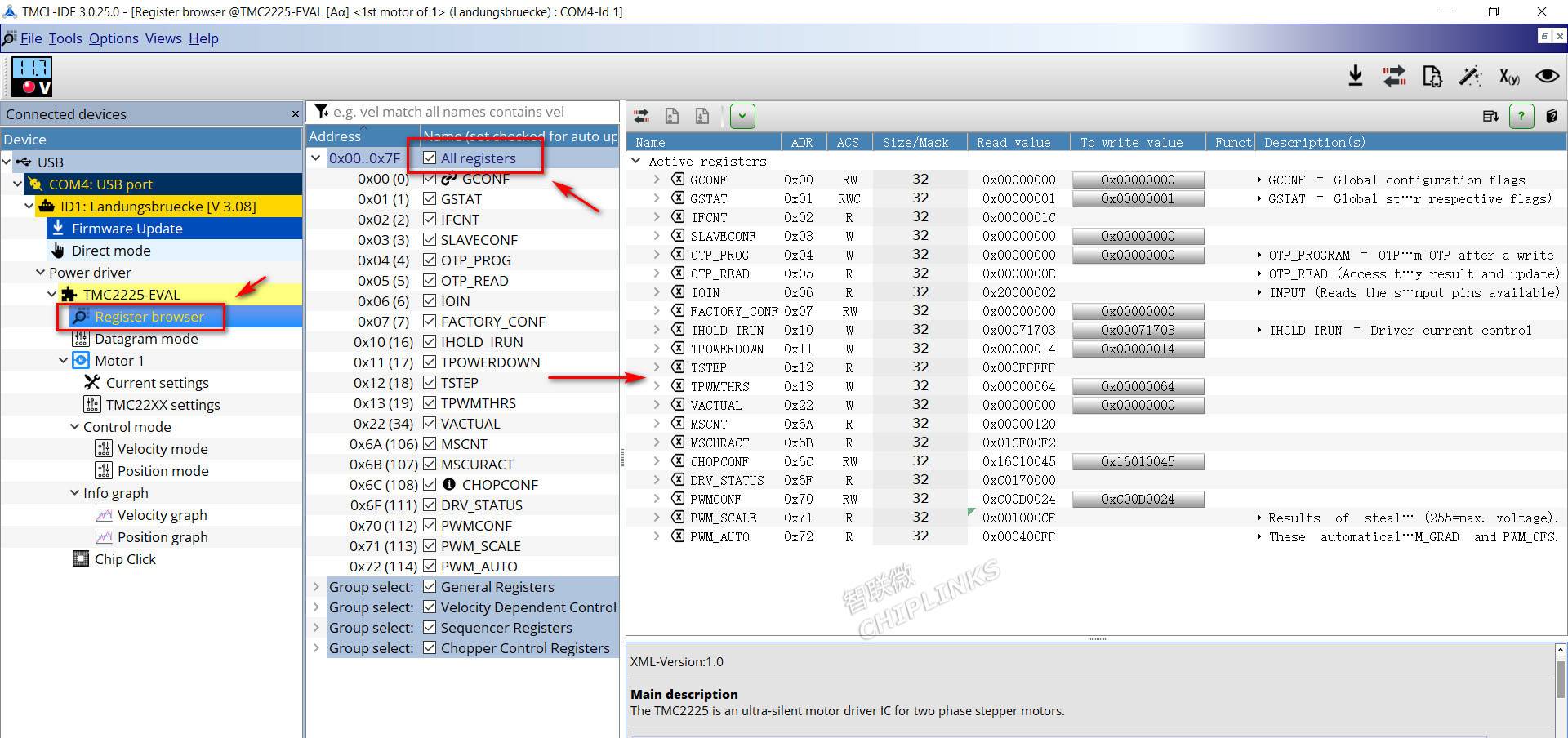
- The IDE automatically detects the TMC2225-EVAL
- Click Register Browser
- Click All registers; a list of all registers appears on the far right.
3. Set microstepping
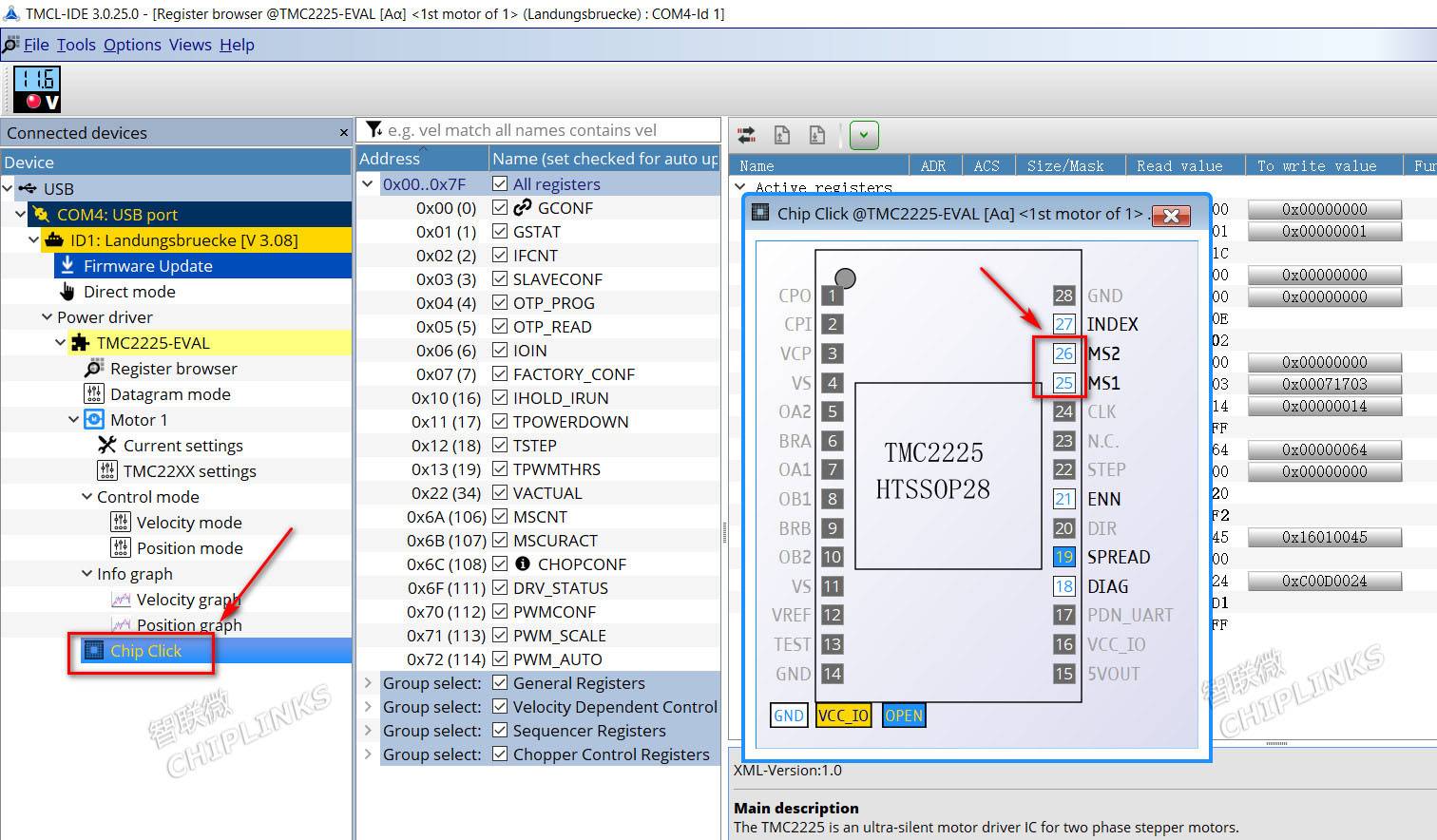
- Click Chip Click
- Click MS1 and MS2 to set microstepping by turning the pins on or off.
Microstepping settings are as follows:
| MS2 | MS1 | Microstepping |
|---|---|---|
| 0 | 0 | 4 |
| 0 | 1 | 8 |
| 1 | 0 | 16 |
| 1 | 1 | 32 |
4. Quiet Mode
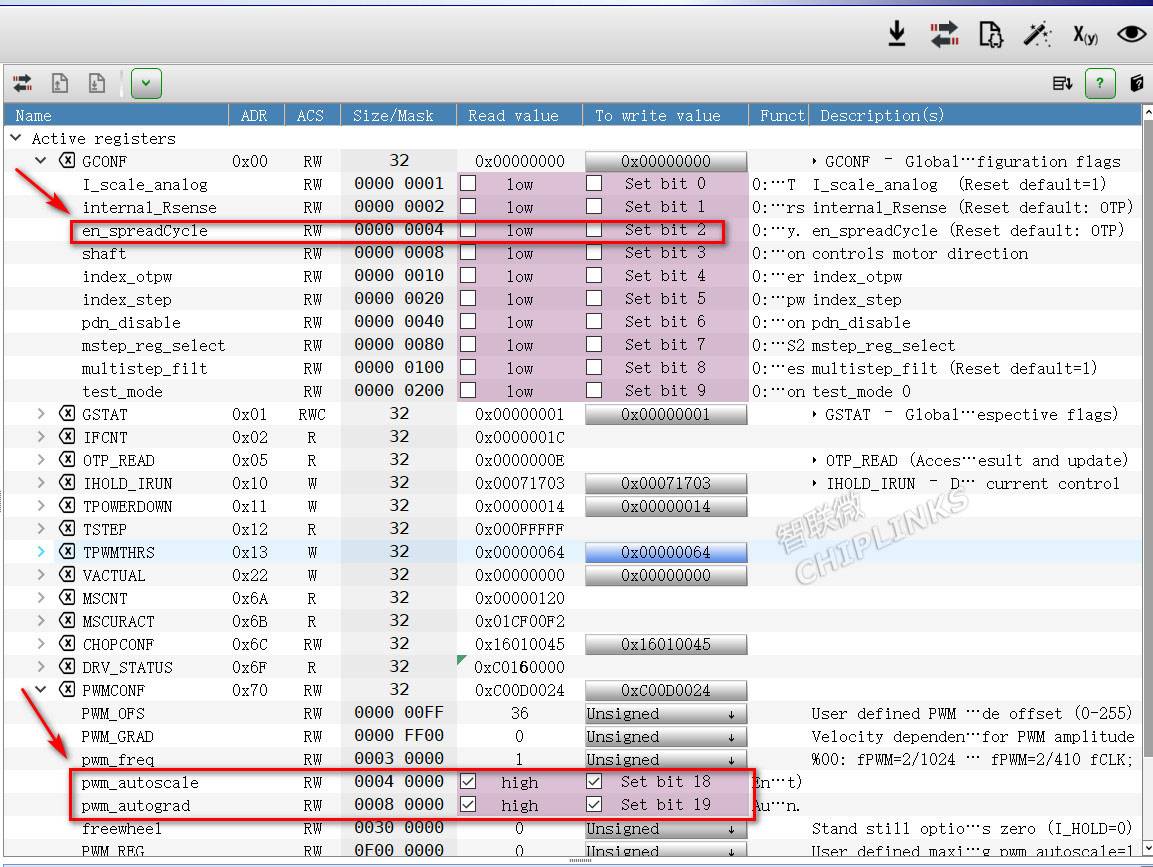
- Ensure en_spreadCycle is not checked
- Ensure pwm_autoscale is checked
- Ensure pwm_autograd is checked
5. Set the low-speed/high-speed switching threshold
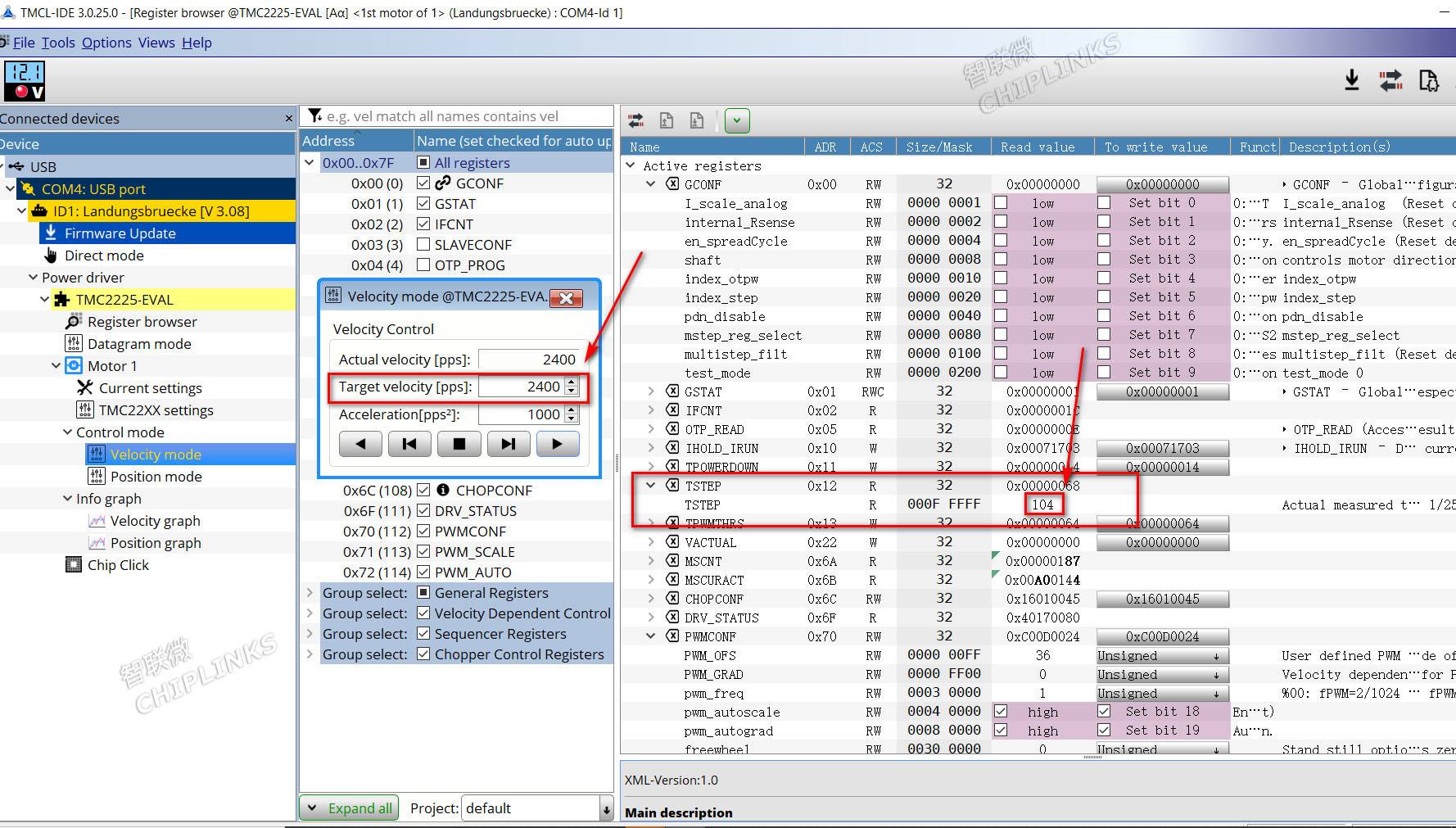
- Assume the speed of 240 rpm (i.e., 3 revolutions per second) needs to be set as the low/high-speed switching threshold; here the microstep setting is 4 microsteps and the step angle is 1.8°.
- Set the pulse count Target Velocity to: 360/1.8 × 4 microsteps × 3 = 2400,
At this point, check the TSTEP value (it will fluctuate within a small range); select a relatively stable value, which is 104 here. - Set the value of TPWMTHRS to 104
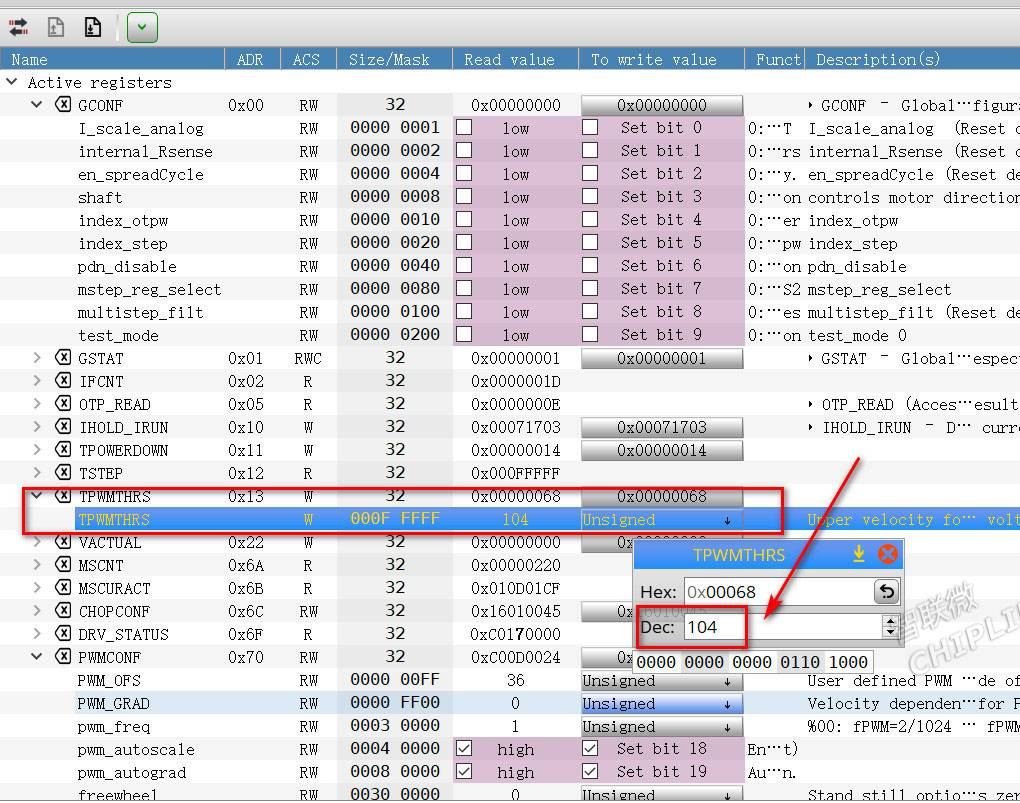
mark
6. Complete Setup
After setup is complete, it operates in silent mode at approximately 240 rpm and below, and in high-speed mode above 240 rpm.